
GCSE Maths calculator papers: what actually comes up (and how to use your calculator properly)
- 1The calculator papers (Paper 2 and Paper 3) test whether you can set a problem up, not just do arithmetic.
- 2Highest-frequency topics: compound interest, reverse percentage, trigonometry, standard form, ratio.
- 3The formula sheet helps, but you still have to rearrange every formula yourself.
- 4Most dropped marks come from calculator slip-ups (rounding early, no brackets, radians mode), not hard maths.
- 5Show your working, then revise in the right order. Method marks count even when the final number is wrong.
There's a version of maths revision where students spend the night before a calculator paper practising non-calculator technique, no substitution, no ANS key, just hand calculations, and walk in underprepared for the problems they'll actually face. If you're doing GCSE Maths revision right now and the two calculator papers feel like a blur, this is for you.
We've heard this from enough families that it's clearly common. So this is a practical guide to the GCSE Maths calculator papers: what's different from Paper 1, the topics that come up most reliably, and the calculator habits that pick up marks versus the ones that lose them.
What's different about the calculator papers
Paper 1 (non-calculator) tests whether you can manipulate numbers and algebra mentally. The calculator papers test something different, whether you can set up a problem correctly and execute multi-step calculations efficiently.
The distinction matters for how you revise. On Paper 1, the bottleneck is usually mental arithmetic and algebraic manipulation. On the calculator papers, the bottleneck is more often knowing what calculation to do, not how to do it by hand. That means:
- Questions tend to be longer and more contextualised, “a builder quotes £3,400, VAT is added at 20%, he then offers a 5% discount, what does the customer pay?” is a calculator-paper question.
- Topics that are hard without a calculator appear more heavily, compound interest, trigonometry in context, reverse percentage, and standard form.
- The marks for showing working are the same. A correct answer with no working is a risk on multi-step questions.
The topics that come up most reliably
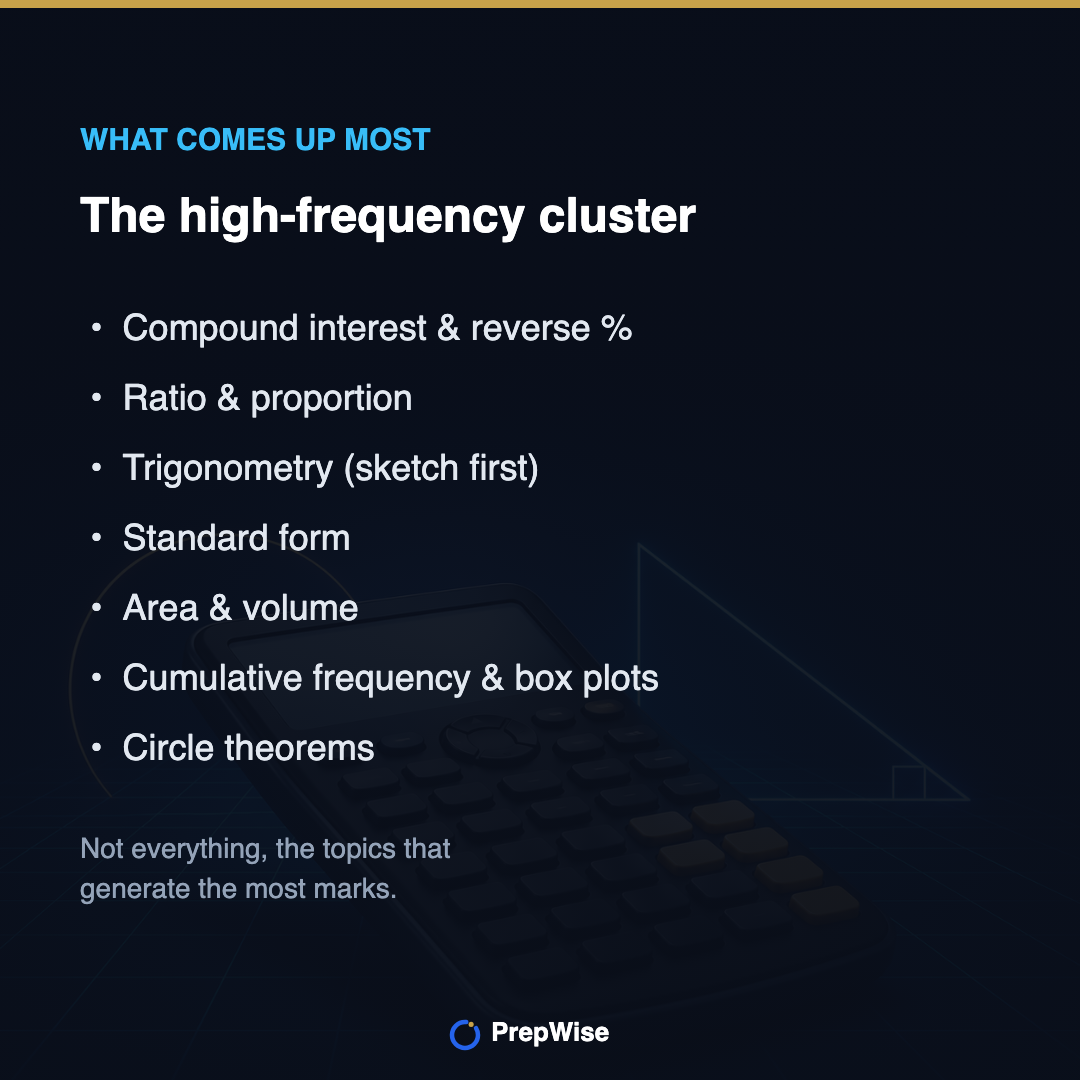
This isn't every topic on the paper, it's the cluster that appears across most past papers, most boards, and generates the most questions.
- Percentage and proportion, reverse percentage, compound interest, percentage change. Learn the compound interest formula P × (1 ± r/100)n, then practise setting it up on your calculator.
- Ratio and proportion, sharing in a ratio, direct and inverse proportion, best-buy problems. Often messed up when numbers don't divide cleanly.
- Trigonometry, sin, cos, tan in right-angled triangles; sine and cosine rule (higher). Sketch the triangle before touching the calculator.
- Standard form, use the ×10x key; don't convert to ordinary form by hand.
- Area and volume, circles, sectors, cylinders, cones, spheres. The formula sheet gives you some, but not all.
- Statistics, cumulative frequency, box plots, histograms (higher). Reading graphs under pressure is its own skill.
- Circle theorems, appear on calculator papers and need diagram fluency as much as recall. We've written a breakdown of all eight circle theorems if you need to go deeper.
Higher-tier additions that frequently appear on calculator papers: quadratic equations (the formula is on the sheet, practise using it with decimals), graph transformations, and iteration. For nth term of sequences, both linear and quadratic versions appear across all papers, worth revisiting if it's not solid.
Here's what the four highest-frequency ones actually look like, worked through the way you'd do them in the exam.
Worked example
Compound interest. £2,000 is invested at 3% per year. What is it worth after 4 years?
- 1Use the formula: amount = 2000 × (1 + 3/100)4.
- 2That's 2000 × 1.034. Type it in one go using the power key.
- 3= 2000 × 1.12550… = £2,251.02.
- 4Don't do it year by year, the single formula is faster and avoids rounding errors.
Worked example
Reverse percentage. A coat costs £48 in a sale after 20% off. What was the original price?
- 1The £48 represents 80% of the original (100% − 20%).
- 2So 1% = 48 ÷ 80 = 0.6.
- 3Original = 0.6 × 100 = £60.
- 4The trap: adding 20% back onto £48 gives £57.60, which is wrong. Reverse % is not the same as adding the percentage back.
Worked example
Trigonometry. A ladder reaches 5 m up a wall, with its base 2 m from the wall. What angle does it make with the ground?
- 1Sketch it first: opposite = 5, adjacent = 2, you want the angle.
- 2Opposite and adjacent means tangent: tan(x) = 5 ÷ 2 = 2.5.
- 3x = tan−1(2.5). Use the shift/inverse tan key.
- 4= 68.2°. Check your calculator is in degrees, not radians, first.
Worked example
Standard form. Work out (3 × 108) × (2 × 10−3).
- 1Enter both numbers using the ×10x key, not by typing the zeros out.
- 2Multiply the numbers: 3 × 2 = 6.
- 3Add the powers: 108 × 10−3 = 105.
- 4Answer: 6 × 10⁵. Leave it in standard form unless asked for an ordinary number.
The formula sheet reality
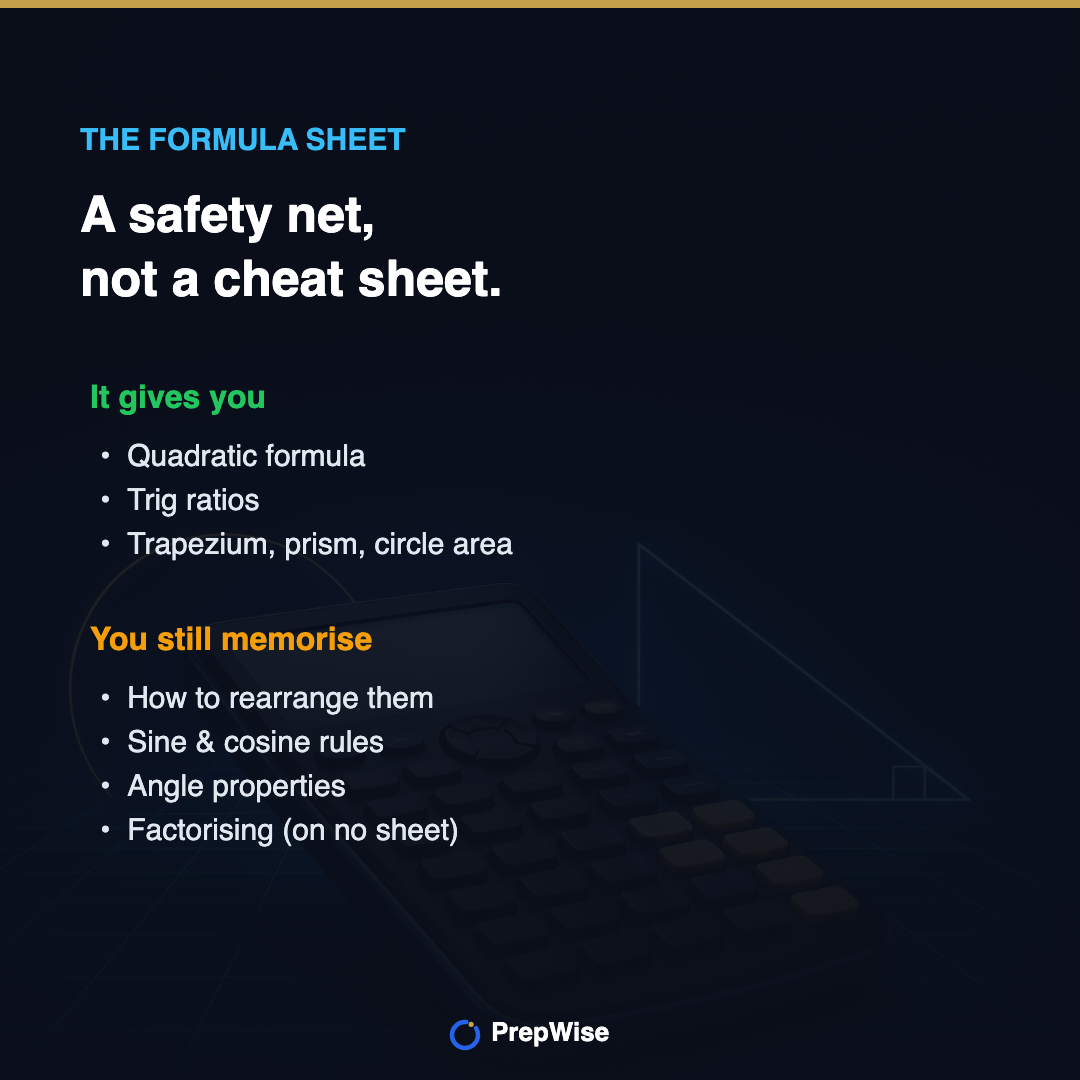
From 2025 onwards, AQA, Edexcel, and OCR all provide a formula sheet at the front of each maths paper. This has changed the picture, but not as much as students think.
What the sheet gives you: the quadratic formula, trig ratio definitions, area of a trapezium, volume of a prism, circle circumference and area. What you still memorise: how to rearrange every formula (the sheet gives the base form, you still solve for a different variable), the sine and cosine rules (higher), angle properties, probability rules, and factorising methods, which aren't on any sheet.
The formula sheet is a safety net, not a cheat sheet. Students who revise assuming it will carry them routinely lose marks because they can read the formula but can't apply it under time pressure.
AQA, the calculator papers. Both are 1h 30m, 80 marks. Paper 2 is 8300/2F or 8300/2H (Foundation or Higher), Paper 3 is 8300/3F or 8300/3H. The AQA formula sheet is included in the paper. Calculator-heavy topics are spread across both papers, not just one.
Edexcel, the calculator papers. Both are 1h 30m, 80 marks. Paper 2 is 1MA1/2F or 1MA1/2H, Paper 3 is 1MA1/3F or 1MA1/3H. Edexcel includes a formulae sheet at the start of each paper.
OCR, the calculator papers. OCR runs Paper 2 (J560/02) and Paper 3 (J560/03) at Higher, with Papers 5 (J560/05) and 6 (J560/06) as the Foundation-tier equivalents. All are 1h 30m. OCR provides a formula sheet too. Check your tier with your teacher if you're unsure which papers you sit.
5 calculator mistakes that cost marks
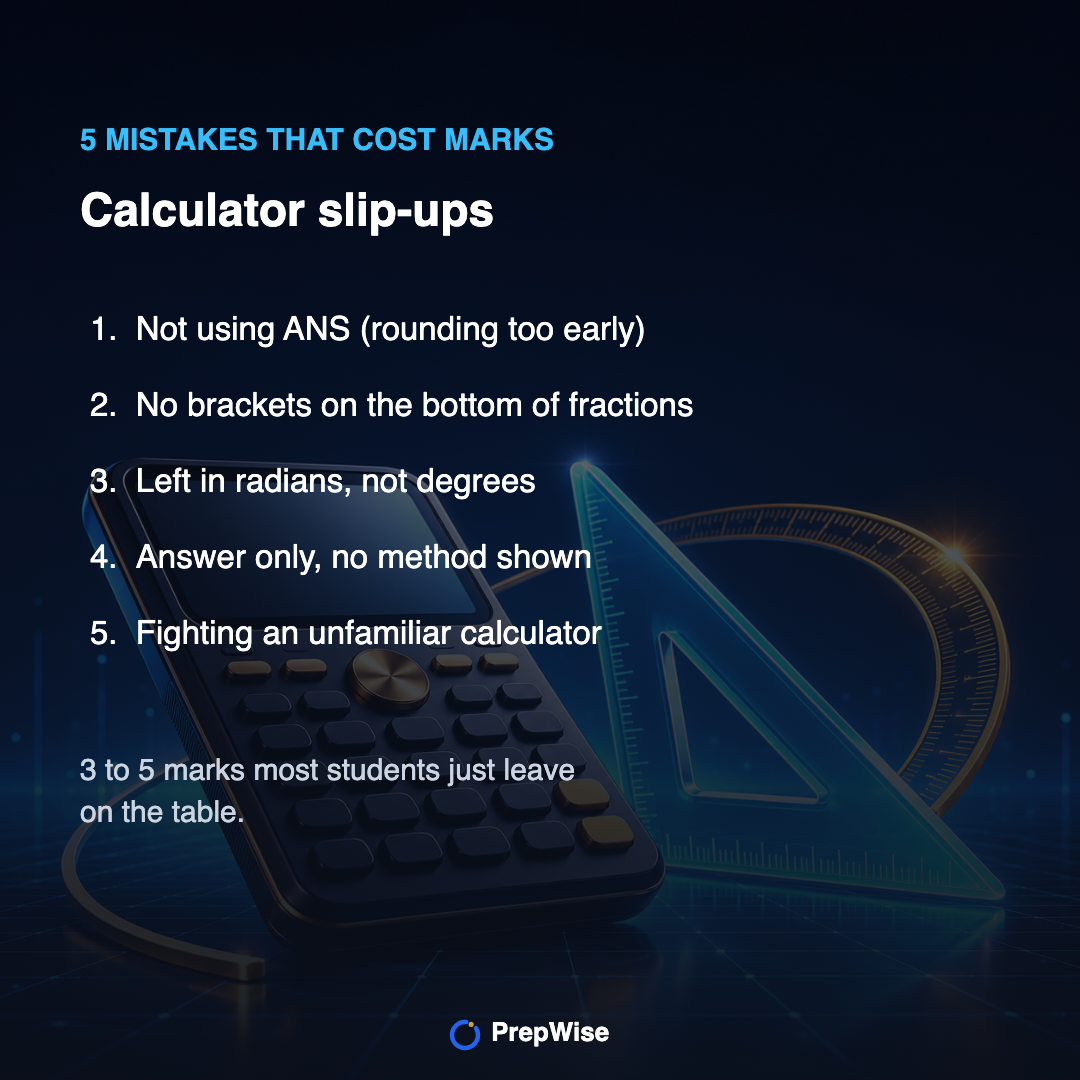
This is the section that changes scores. The marks here aren't lost to hard maths, they're lost to avoidable calculator slip-ups. Fix these five and most students pick up 3 to 5 marks they were otherwise leaving on the table.
✕ Loses marks
Typing 9 ÷ 3 + 4 and getting 7, when the question wanted 9 over (3 + 4).
✓ Wins marks
Bracket the whole denominator: 9 ÷ (3 + 4) = 1.29. When in doubt, bracket it.
✕ Loses marks
Rounding a mid-step answer to 7.3, writing it down, then typing 7.3 back in for the next step.
✓ Wins marks
Use the ANS key so the calculator carries the full-precision number into the next step.
✕ Loses marks
Calculator left in radians, so every sin, cos and tan answer comes out wrong all paper.
✓ Wins marks
Check it shows D or DEG before you start. Ten seconds that saves a whole topic.
- Rounding too early instead of using ANS. The result stored in ANS is more precise than anything you write down. For multi-step calculations, use ANS as the input to the next step, rounding a mid-step answer and re-typing it is the single most common way to lose accuracy marks.
- No brackets on the bottom of a fraction. 9 ÷ 3 + 4 is not the same as 9 ÷ (3 + 4). Most calculator errors on GCSE papers come from not bracketing the denominator. When in doubt, bracket it.
- Left in radians, not degrees. Trig questions almost always need degrees. Before the exam starts, confirm your calculator shows D or DEG, a calculator left in radians quietly wrecks every trig answer on the paper.
- Answer only, no method shown. Even on a calculator paper, the mark scheme awards method marks. “Sin 40° = opposite ÷ 20, so opposite = 20 × sin 40° = 12.9 cm” earns the method mark even if you miskey the final number.
- Fighting an unfamiliar calculator. Cube roots, standard form entry (×10x), and fraction display vary by model. Practise them on YOUR calculator before the exam, not for the first time during it.
FDP, the topic that rewards five minutes of revision
Fractions, decimals, and percentages (FDP) conversions are one of the highest mark-per-minute topics on the calculator papers. The ones that come up repeatedly: 1/3 = 0.333… = 33.3%, 1/8 = 0.125 = 12.5%, 3/8 = 0.375 = 37.5%, 2/3 = 0.667… = 66.7%. We've documented the most common FDP mistakes to avoid, the specific errors that show up in examiner reports, not generic advice.
Word problems: the most-dropped marks
The biggest source of lost marks on calculator papers isn't hard maths. It's reading the question wrong.
Worked example
A builder quotes £3,400 for a job. VAT is added at 20%, then a 5% discount is applied to that total. What does the customer pay?
- 1Add VAT: 3400 × 1.2 = £4,080. (Multiplying by 1.2 adds 20% in one step.)
- 2Apply the 5% discount: 4080 × 0.95 = £3,876.
- 3The trap: discounting first, or using 1.05 instead of 0.95. Read the order carefully.
- 4Answer: £3,876. Show both lines to bank the method marks.
The biggest single source of mark-loss on calculator papers isn't the maths, it's reading the problem wrong. Students who can solve 1.12 × 3400 easily lose the mark because they multiply by 1.20 instead of 1.12, misreading “5% discount after VAT”. Two habits fix most of it: read the question twice (once for the story, once for the numbers), and write out what each number represents before you calculate. If word problems are where you want to build confidence, age and word problem worked examples walk through the extraction step explicitly.
Rearranging formulae, still tested
A common misconception: because you have the formula sheet, you don't need to practise rearranging. The sheet gives you v = u + at. The question might ask you to find t, rearranging to t = (v − u) ÷ a is still your job. Higher-tier students in particular: changing the subject when it appears twice (cross-multiplication) is tested regularly. The changing the subject walkthrough covers the harder cases.
Worked example
Rearranging. Using v = u + at, a car accelerates from u = 4 m/s to v = 22 m/s at a = 3 m/s². How long does it take?
- 1You need t, so rearrange first: subtract u from both sides, v − u = at.
- 2Divide both sides by a: t = (v − u) ÷ a.
- 3Now substitute: t = (22 − 4) ÷ 3 = 18 ÷ 3.
- 4= 6 seconds. Rearrange before you substitute, it's cleaner than plugging numbers in early.
A simple approach to the next few sessions
Not a timetable, just an order. Do these in sequence, spending more time on whichever area is weakest.
- First: cover the high-frequency calculator topics above. If compound interest, reverse percentage, and trigonometry feel solid, you're in reasonable shape. If any feel shaky, spend one focused session there.
- Second: do a timed past paper under calculator conditions. Mark it honestly, circle where you lost marks, not where you nearly got it right.
- Third: revisit the specific topics where you dropped marks. Targeted practice beats re-reading notes.
- Finally: the day before, do a light review, check degrees mode, confirm you can enter standard form, re-read the formula sheet so there are no surprises.
Practise the calculator-paper topics
GCSE Maths revision on PrepWise is free now. The questions are calculator-paper style, marked instantly, with the working shown, so you can see where a method mark would have been won or lost. But the advice above stands on its own: prioritise the high-frequency topics, practise calculator technique deliberately, and do timed papers under real conditions. Good luck.
Get started freePractice the questions
See all Maths calculator paper exam questions with model answers
Every question that comes up on AQA, Edexcel and OCR Papers 2 and 3: with full model answers and worked solutions. Sorted by what examiners test most.
Browse exam questions →