Test yourself on Selection (IF Statements) with exam style questions, marked instantly.
Flashcards that come back just before you would forget them.
A revision plan that remembers what you know and shows what to do next.
See which topics you have nailed and which need another look.
Quiz yourself on Selection (IF Statements)Get your flashcardsBuild my revision planTrack my progressSelection and Iteration Flowcharts
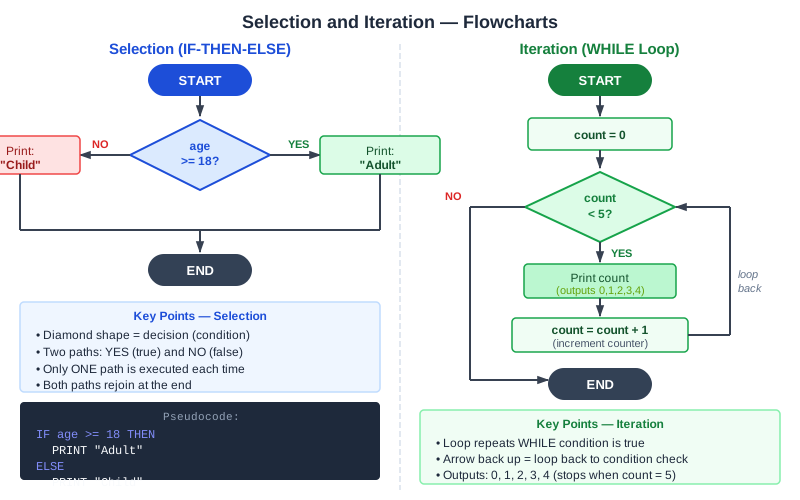
The top flowchart is selection: the program takes one path or the other, then both paths join. The bottom flowchart is iteration: the YES path goes round again until the test fails. Here is the same pair of programs in OCR style.
if age >= 18 then
    print("Adult")
else
    print("Child")
endif

count = 0
while count < 5
    print(count)
    count = count + 1
endwhile
AQA writes the keywords in capitals and ends with ENDIF and ENDWHILE, for example IF ... THEN ... ELSE ... ENDIF and WHILE ... ENDWHILE, and uses ← for assignment. Edexcel does not set a strict pseudocode style.
Make this stick
Signing in gives access to all PrepWise features.